


SPECIFICATIONS
Brand Name: LAUNCH
Origin: Mainland China
Hardware Version: OBD2 Scanner
Software Version: Car Scanner
Item Type: Code Readers & Scan Tools
Certification: CE
Language: English
Language: FRENCH
Language: german
Language: japanese
Language: Portuguese
Language: Russian
Language: Spanish
Software Update: Yes

Must Read Before Buying
- LAUNCH CR529 is an OBD2 scanner fo Engine check, it can NOT test ABS, SRS(airbag) or any other systems, and it can NOT do any other special functions. Please make sure you know what CR529 Can do and can not do.
In order to avoid the incompatibility between the car model and the product, please consult customer service before placing an order, whether your car model is compatible with the product.
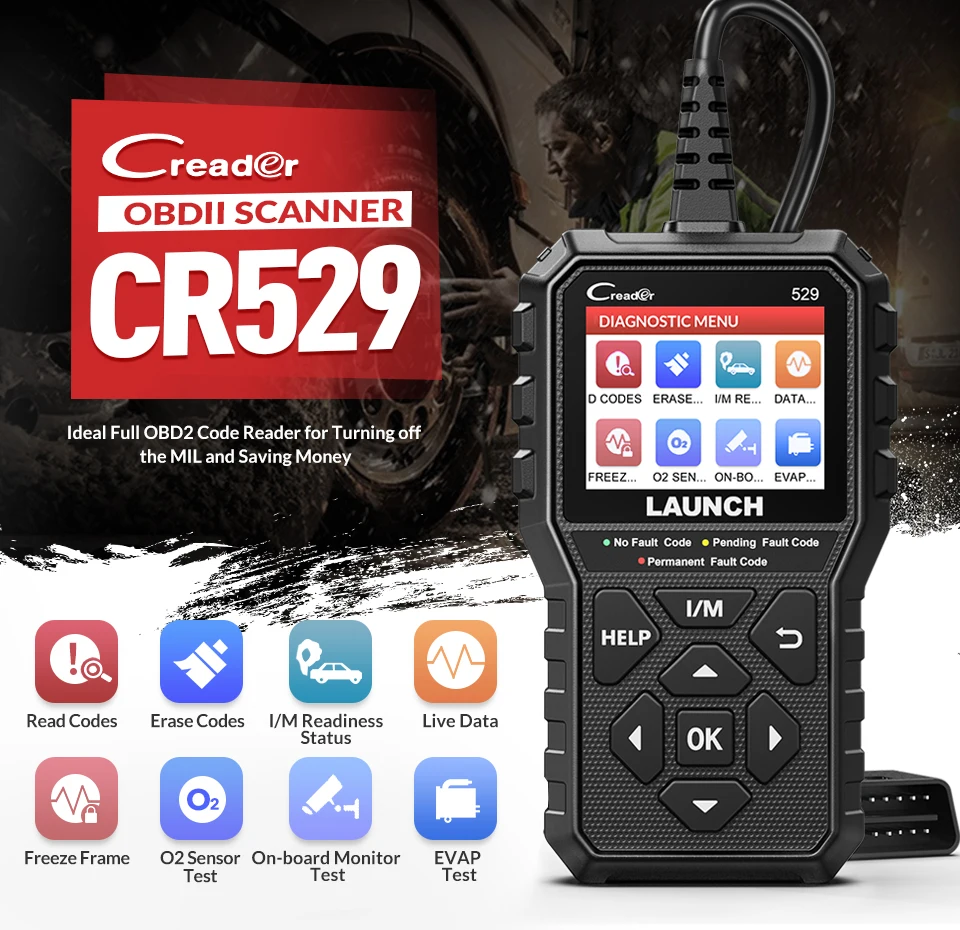
LAUNCH CReader 529 DIY OBDII Scanner for Engine
LAUNCH CReader 529 is a new released DIY obd2 scanner for Engine Check.
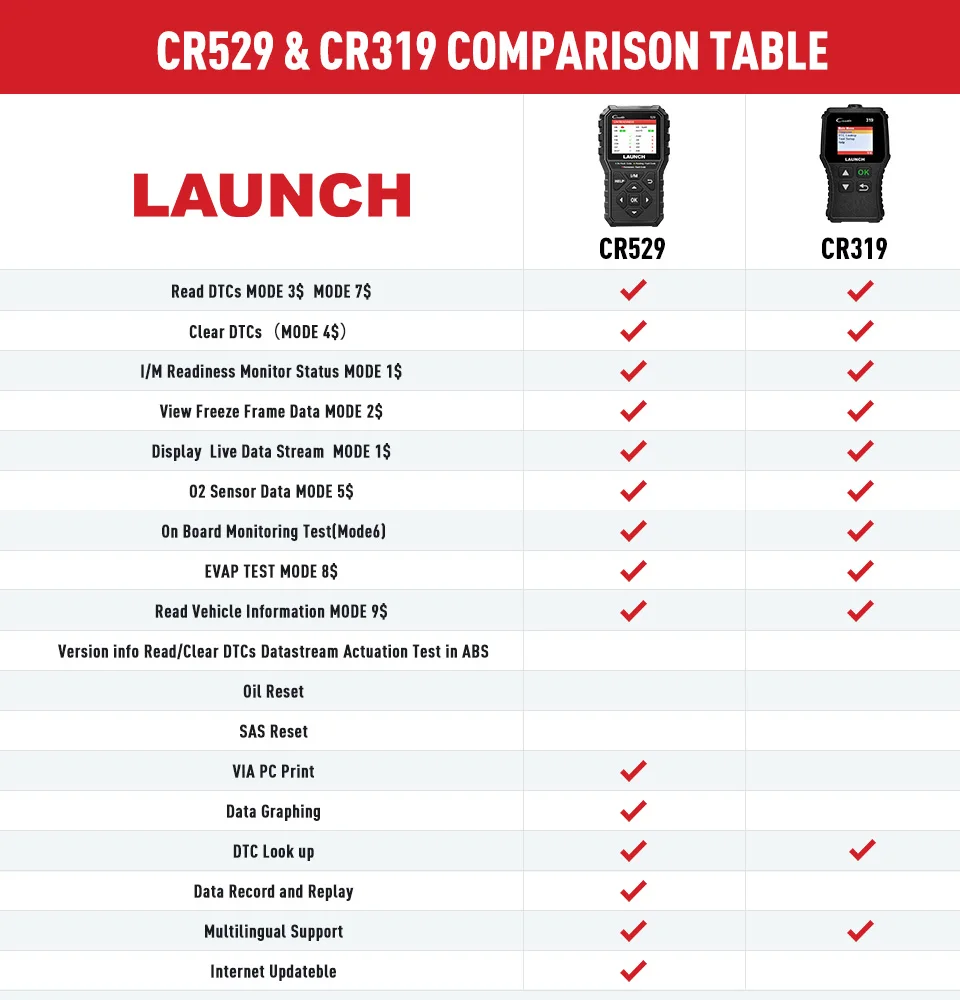
Check the Difference between CR529 and CR319
Functions of LAUNCH CR529
1. Read, Clear engine error codes.
Turn off 'Engine Check' MIL.
2.Live Data / Freeze Frame
--- When emission-related faults occurs, certain vehicle conditions are recorded, so it can better locate the abnormal position and find the cause of the abnormality when it is repaired.
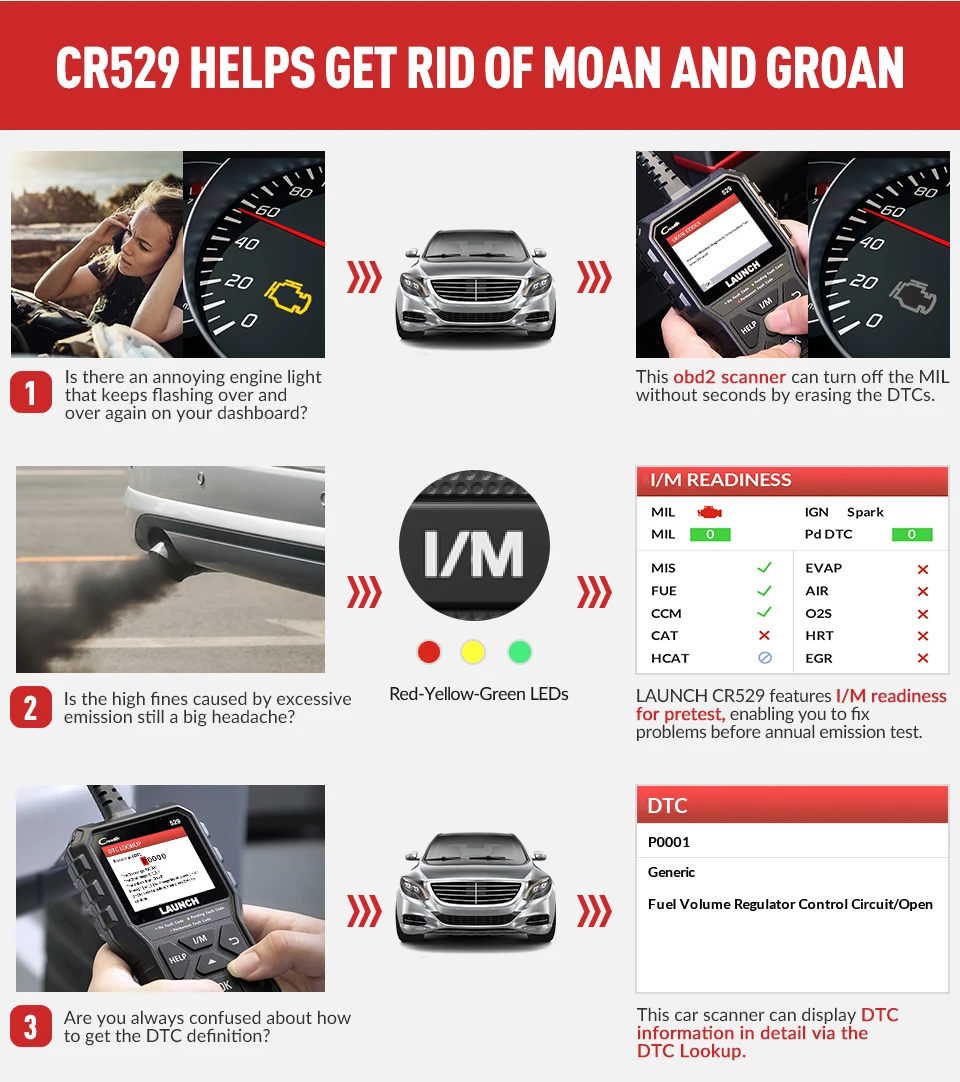
3.I/M Readiness
--- It indicates whether or not the various emissions-related systems on the vehicle are operating properly and are ready for Inspection and Maintenance testing.
4. VIN Code Reading Automatically
It can reading the VIN code from the car ECU automatically.
5.Hard(memory) Codes Reading
6. Pending Codes Reading
7. Oxygen Sensor Test
CR529 allows retrieval and viewing of O2 sensor monitor test results for the most recently performed tests from the vehicle's on-board computer.
8. On-Board Monitor
It allows you to view the results of On-Board Monitor tests. The tests are useful after servicing or after erasing a vehicle's control module memory.
9.Vehicle Information:
The option displays the vehicle identification number (VIN), the calibration identification, and the calibration verification number (CVN), and other information of the test vehicle.
Supported Language
English, French, Spanish, German, Portuguese, Russian, Japanese.

Car Coverage
CR529 supports all OBDII protocols: KWP2000, ISO9141, J1850 VPW, J1850 PWM and CAN (Controller Area Network). This scanner can work on most domestic, European and Asian OBDII-compliant models manufactured from 1996 and newer.

Other Features
1. Record & Replay
Record all issues while doing the diagnostic work, and you can later on check the records related wherever, whenever
2. HELP Shortcut Key
Comfortably help you to resolve most basic issues in a second with tips.
3. LED Indicator
Quick and easy way to identify your vehicle’s status visually, via its Green, Yellow and Red LED light.
4. Print Via Computer
You can connect it to your computer and print the diagnositc report.
5. Update Via Computer
You can connect to your computer and update it via Internet.
The upgrade process is straightforward and can be easily done via USB cable.
Visit LAUNCH’s website. Download and install the update tool (Windows XP, 7, 8, & 10).
Connect the scanner to the computer via the USB cable.
Register the scanner using its serial number.
Fill in the required information and click [upgrade].
*Note: make sure the internet connection is strong and stable while updating.

6. 3-Foot-Long Diagnostic Cable
You can drive your car, while the scanner reads data on the seat next to you.
See How Your Car React
Want to watch what the sensors are reporting to ensure everything is reading inputs? Or want to make sure if any adjustments are needed to get the car running in normal condition? Now LAUNCH CR529’s Live Data screen comes in handy:
Ignition Time: This tells you the speed at which the spark is igniting the fuel mixture.
Vehicle Speed: This shows you the exact speed at which the vehicle is running (km/h and m/h).
Engine RPM: Displays the number of revolutions made around the axis within a minute.
Absolute Throttle Position: Helps you understand the air intake of the engine.
Mass Air Flow: It’s a sensor that reads the mass flow rate of the air entering the combustion engine.
And more.
Even better, the data is presented in graphic format, which makes all above much easier to monitor and evaluate.
CR529 offers DTC Lookup Library
You don't need to search the definition of the error code online.
Go to DTC Lookup menu, and input error code, it will show the definitions.
Product Display


Update and Warranty
Lifetime Free Update.
Five Year Warranty.
Warm Tips
1. Plug & play, no need to upgrade it before use;
2. Must be 16 PIN OBD II port
3. Can only be updated via a PC (compatible with Windows XP, 7, 8 & 10, but not the iOS system).
Know More about LAUNCH
